













Why a Stellar Portfolio Website is Non-Negotiable for Freelancers in 2026
In the rapidly evolving digital landscape of 2026, a compelling online presence is no longer a luxury but an absolute necessity for freelancers. The days of relying solely on word-of-mouth or basic social media profiles are long gone. Today, potential clients expect to see a dedicated, professional space that showcases your skills, experience, and unique value proposition. This is where an expertly designed portfolio website comes into play. For freelancers, it serves as your digital storefront, an always-on salesperson, and a curated gallery of your best work. Without one, you risk being overlooked in a highly competitive market.
This comprehensive guide will delve into the critical aspects of portfolio website design for freelancers in 2026, equipping you with the knowledge to create a powerful platform that not only attracts but converts your ideal clients. We'll explore the latest trends, essential features, and strategic approaches to ensure your online portfolio stands out from the crowd.
The Evolving Landscape: Client Expectations in 2026
Client expectations have significantly shifted. In 2026, clients are more discerning, tech-savvy, and time-sensitive than ever before. They seek:
- Instant Gratification: They want to quickly grasp what you do and see if it aligns with their needs.
- Proof of Expertise: Tangible examples of past work that demonstrate your capabilities.
- Professionalism: A clean, functional, and aesthetically pleasing website reflects your attention to detail and professional standards.
- Value Proposition: A clear understanding of how you can solve their specific problems.
Your portfolio website must address all these points efficiently and effectively. It's not just about showing what you've done; it's about demonstrating what you can do for them.
Core Elements of a Winning Freelancer Portfolio Website in 2026
Building an effective portfolio requires a strategic approach. Here are the fundamental components you must include:
1. High-Impact Homepage
Your homepage is your first impression. It needs to be visually striking and immediately communicate:
- Who you are: Your name and professional title.
- What you do: Your core services (e.g., "Freelance Web Designer," "Content Strategist," "UX/UI Specialist").
- Who you serve: Your target audience.
- A clear Call-to-Action (CTA): "View My Work," "Hire Me," "Get a Quote."
Use compelling visuals, a strong headline, and a concise value proposition to hook visitors within seconds.
2. Showcase Your Best Work (The Portfolio Section)
This is the heart of your website. Don't just list projects; tell a story. For each project, include:
- High-Quality Visuals: Screenshots, mockups, videos, or design files.
- Project Overview: Briefly describe the client, the challenge, and your role.
- Your Process: Explain your approach and methodology.
- Results & Impact: Quantify the success whenever possible (e.g., "increased conversions by 20%").
- Client Testimonial: A short quote from the client adds credibility.
Consider creating dedicated case studies for your most impactful projects. For inspiration and to see diverse examples of successful projects, explore the PSTechGlobal portfolio.
3. About Me/Us Page
This page is where you connect with potential clients on a personal level. Share your story, your philosophy, your passions, and what makes you unique. Include a professional headshot. This builds trust and rapport, helping clients feel like they know you before they even reach out.
4. Services Page
Clearly outline the services you offer. Be specific about what each service entails, what problems it solves, and the benefits clients can expect. You might also include your pricing model (e.g., hourly, project-based) or indicate "contact for a custom quote." If you're looking for comprehensive support in defining and presenting your services, consider exploring professional web design services to ensure your offerings are communicated effectively.
5. Testimonials and Social Proof
Clients trust other clients. Incorporate glowing testimonials, client logos, and, if applicable, media mentions or awards. Video testimonials are increasingly popular and effective.
6. Contact Page with Clear Call-to-Actions
Make it incredibly easy for clients to reach you. Include:
- A contact form.
- Your professional email address.
- Links to your professional social media profiles (LinkedIn, Behance, Dribbble).
- Your phone number (optional, depending on your preference).
- A physical address if you have an office.
Ensure multiple CTAs throughout your site guide visitors towards contacting you.
Essential Features and Design Trends for 2026
To truly stand out, your portfolio website must incorporate modern design principles and functionality.
1. Mobile-First & Responsive Design
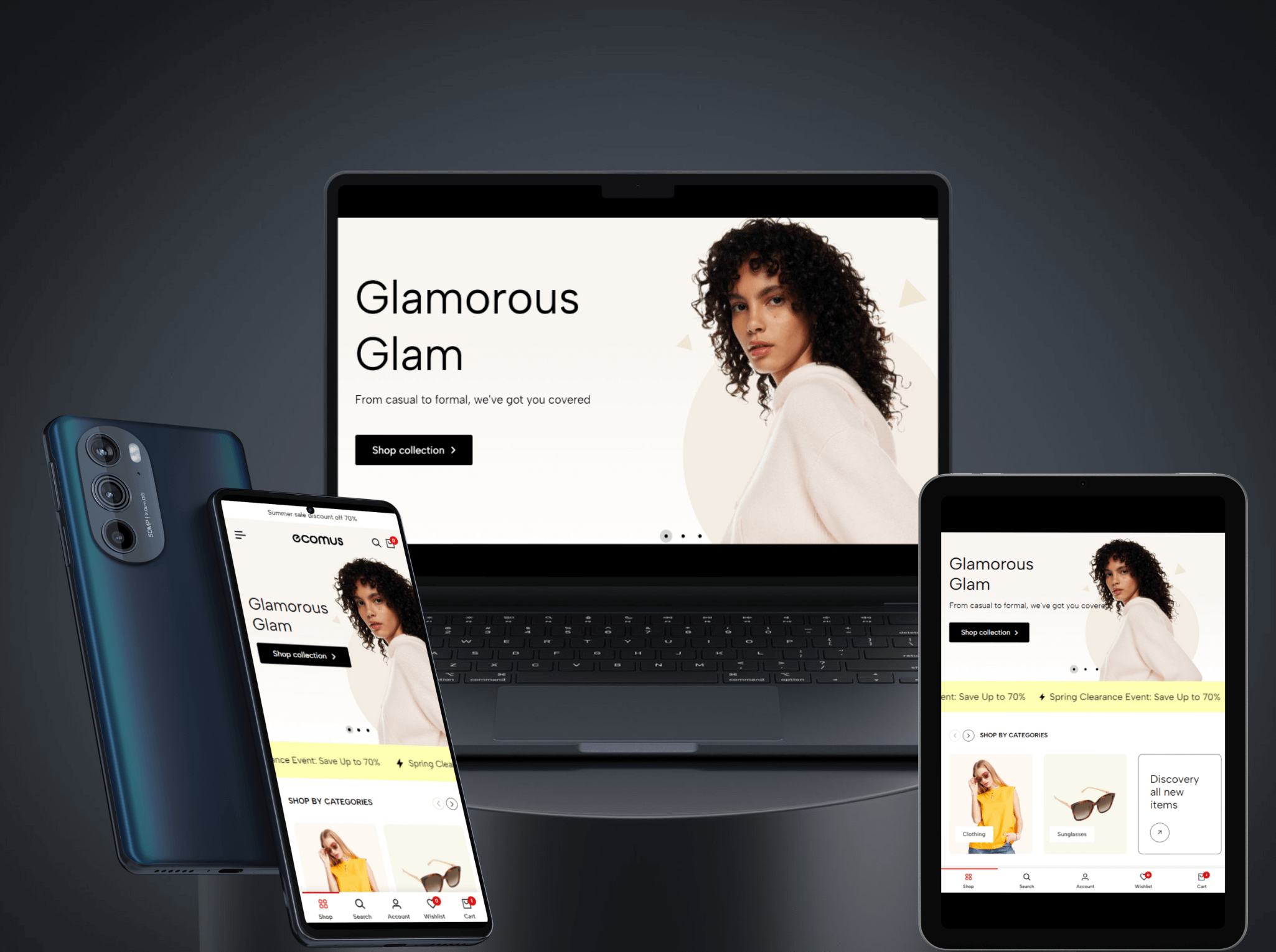
This is non-negotiable. The majority of internet traffic now comes from mobile devices. Your website must look and function flawlessly on smartphones, tablets, and desktops. Google also heavily prioritizes mobile-first indexing.
2. Lightning-Fast Loading Speeds
Users expect speed. Slow websites lead to high bounce rates and negatively impact your SEO. Optimize images, leverage caching, and choose a reliable hosting provider to ensure quick loading times. Google's Core Web Vitals heavily influence search rankings.
3. SEO Optimization
Even the most beautiful website is useless if no one can find it. Implement basic SEO best practices:
- Keyword research for your niche.
- Optimized meta titles and descriptions.
- Clean URLs.
- High-quality, relevant content (consider adding a blog section).
- Image alt text.
4. Accessibility-First Design
Design your website to be accessible to everyone, including those with disabilities. This includes proper color contrast, keyboard navigation, clear ARIA labels, and descriptive alt text for images. It's not just good practice; it's increasingly a legal requirement in many regions.
5. Micro-interactions and Subtle Animations
Subtle animations, hover effects, and micro-interactions (e.g., a button changing color on click) enhance user experience and make your site more engaging without being distracting. They add a touch of polish and modernity.
6. Personalized User Experience (UX)
While full AI-driven personalization might be advanced for a solo freelancer, you can still aim for a personalized feel. This could involve tailoring content slightly based on user navigation patterns or offering different CTA options. The goal is to make visitors feel understood and catered to. For a deeper dive into what's shaping the web experience, refer to discussions on web design trends for 2026.
7. Integrated Scheduling & Payment Options
Streamline your workflow by integrating tools for booking consultations directly on your site or accepting deposits for projects. This reduces friction and makes it easier for clients to move forward.
Building Your Portfolio: DIY vs. Professional Help
Freelancers often face a choice: build it yourself or hire a professional. Both have pros and cons.
DIY Platforms (e.g., Squarespace, WordPress with page builders, Webflow)
- Pros: Cost-effective (monthly fees typically range from USD 15 to USD 50), full control, relatively easy to learn for basic sites.
- Cons: Time-consuming, potential for generic designs, limited customization for complex features, may lack advanced SEO capabilities without plugins.
- Best for: Freelancers with a tight budget, design skills, or those with very straightforward needs.
Professional Web Design Services
- Pros: Custom, unique design, optimized for performance and SEO, professional polish, saves your time, ongoing support, robust functionality.
- Cons: Higher upfront cost (can range from USD 1,000 to USD 10,000+ depending on complexity and region), less direct control over the build process.
- Best for: Freelancers who want a truly distinctive online presence, those who lack the time or technical skills, or those looking to scale their business significantly.
The decision often comes down to your budget, technical comfort, and how critical a unique, high-performing website is to your business goals. For a truly professional and custom solution that reflects your brand perfectly, investing in expert web design services often yields the best long-term return.
Maintaining and Optimizing Your Portfolio for Continued Success
Launching your portfolio website is just the beginning. Ongoing maintenance and optimization are crucial for sustained success.
1. Regularly Update Your Work
Your portfolio should always showcase your latest and greatest work. As you complete new projects, update your site to reflect your evolving skills and capabilities. Remove outdated or less relevant pieces.
2. Monitor Analytics
Use tools like Google Analytics to track visitor behavior. Which pages are most popular? Where are users dropping off? What keywords are they using to find you? This data is invaluable for optimizing your site and content.
3. Seek Feedback
Ask trusted peers, mentors, or even past clients for feedback on your website. Fresh eyes can spot areas for improvement that you might overlook.
4. Promote Your Portfolio
Don't let your website sit idly. Share it across your social media channels, include it in your email signature, and link to it from any online profiles you maintain. Use it as a central hub for all your marketing efforts.
Conclusion
In the dynamic freelance market of 2026, a well-designed portfolio website is your most powerful tool for attracting clients and establishing your authority. By focusing on a compelling user experience, showcasing your best work effectively, incorporating modern design trends, and ensuring your site is optimized for search engines and mobile devices, you can create a digital presence that not only impresses but truly converts. Invest in your portfolio; it's an investment in your freelance future.