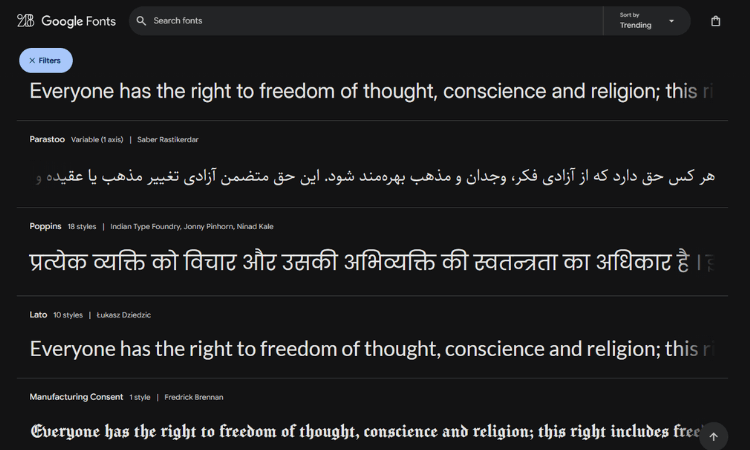

















Advanced Typography Principles for UI Mastery: The Complete Guide to Type Design That Converts
Typography isn't just about making text look pretty; it's the invisible force that guides user behavior, builds trust, and can make or break your digital product's success. In fact, studies show that users form opinions about websites within 50 milliseconds, and typography plays a crucial role in that split-second judgment.
What is Typography? Understanding the Foundation of Digital Communication
Typography is the art and technique of arranging type to make written language legible, readable, and visually appealing. In UI/UX design, typography encompasses everything from font selection and sizing to spacing, hierarchy, and color choices that create seamless user experiences.
But typography's influence extends far beyond digital interfaces. It shapes how we perceive brands, navigate information, and interact with content across print media, advertising, web design, mobile applications, and even architectural signage. Every piece of text you encounter has been carefully crafted to evoke specific emotions and guide specific actions.
Ready to Find Out What Your Website Will Cost?
Use our Free Website Price Calculator to get an instant estimate tailored to your needs.
No hidden fees. No guesswork. Just real numbers.
The Steve Jobs Typography Revolution: How Calligraphy Changed Computing Forever
One of the most powerful demonstrations of typography's importance comes from an unlikely source: Steve Jobs' famous 2005 Stanford commencement speech. Jobs revealed how a calligraphy class he took after dropping out of Reed College became the foundation for Apple's design philosophy:
"Reed College at that time offered perhaps the best calligraphy instruction in the country. Throughout the campus every poster, every label on every drawer, was beautifully hand calligraphed. Because I had dropped out and didn't have to take the normal classes, I decided to take a calligraphy class to learn how to do this. I learned about serif and sans serif typefaces, about varying the amount of space between different letter combinations, about what makes great typography great. It was beautiful, historical, artistically subtle in a way that science can't capture, and I found it fascinating."
Jobs continued: "None of this had even a hope of any practical application in my life. But ten years later, when we were designing the first Macintosh computer, it all came back to me. And we designed it all into the Mac. It was the first computer with beautiful typography. If I had never dropped in on that single course in college, the Mac would have never had multiple typefaces or proportionally spaced fonts. And since Windows just copied the Mac, it's likely that no personal computer would have them."
This single decision to prioritize typography transformed the entire computing industry and established Apple's reputation for superior design that continues today.
Why Typography is Critical in UI/UX Design: The Science Behind User Behavior
Typography directly impacts user experience through several psychological and physiological mechanisms:
Cognitive Load Reduction
Well-designed typography reduces the mental effort required to process information. When users can effortlessly scan and comprehend content, they're more likely to engage with your product and complete desired actions.
Trust and Credibility Building
Research from Stanford's Web Credibility Project found that 46.1% of users assess website credibility based on visual design elements, with typography being a primary factor. Poor typography choices can immediately undermine user trust.
Conversion Rate Optimization
E-commerce studies demonstrate that optimized typography can increase conversion rates by up to 37%. Strategic font choices, sizing, and spacing guide users through purchase funnels more effectively.
Essential Typography Rules for UI Design Mastery
Based on industry best practices and user research, here are the fundamental typography principles every UI designer must master:
Complete Typography Rules Reference Table
| Rule Category | Rule/Best Practice | Why It Matters |
|---|---|---|
| Font Stack | Use font-family with fallbacks and end with a generic family | Ensures cross-device consistency and graceful degradation |
| Font Pairing | Limit to 1–2 font families per project | Keeps the design cohesive and reduces clutter |
| Hierarchy | Use heading levels (H1–H6) and font weights to create clear visual hierarchy | Helps users scan and understand content structure |
| Line Height | Set line-height between 1.4–1.6 for body text | Improves readability and prevents eye strain |
| Font Sizes | Use relative units like rem/em for scalability | Ensures better accessibility and responsiveness |
| Responsive Scaling | Use media queries or fluid typography (clamp()) for font resizing | Keeps text readable on all screen sizes |
| Contrast | Ensure sufficient contrast between text and background (WCAG AA) | Improves readability and accessibility |
| Avoid All Caps | Use sparingly (e.g., buttons, short labels) | Harder to read in blocks and can feel aggressive |
| Font Weight | Use 400 for body, 500–700 for headings | Creates a natural rhythm and hierarchy |
| Text Alignment | Left-align most text (especially paragraphs) | Improves readability—center-aligned text is harder to scan |
| Whitespace/Padding | Add ample spacing around text (padding/margins) | Prevents visual clutter and enhances readability |
| Character Limit | Limit paragraph width to 50–75 characters per line | Optimal for comfortable reading |
| Avoid Justify | Don't justify text in UI unless in special cases | Can create uneven word spacing |
| Text Decoration | Use text-decoration sparingly (e.g., links with underline) | Too many can distract or confuse users |
| Truncation & Overflow | Use text-overflow: ellipsis where long text may overflow | Maintains layout integrity and avoids breaking components |
| Vertical Rhythm | Use consistent vertical spacing between elements | Creates a harmonious layout flow |
| System Fonts | Consider system UI fonts for performance-focused projects | Faster loading, native appearance |
| Font Licensing | Always check font licenses before using | Avoids legal issues, especially for commercial projects |
| Accessibility (A11y) | Use semantic HTML and ARIA where needed | Ensures screen reader compatibility |
| Avoid Faux Bold/Italic | Use real font weights and styles | Faux styles can render poorly and break design consistency |
Font Family and Stack Management
Implementation: font-family: 'Inter', 'Helvetica Neue', Arial, sans-serif;
This ensures cross-device consistency and graceful degradation when custom fonts fail to load. Always limit your projects to 1-2 font families maximum to maintain design cohesion and reduce visual clutter.
Typography Hierarchy System
Creating clear visual hierarchy is essential for user comprehension. Here's the complete typography specification table for all UI elements:
| Element Type | Recommended Font Size | Line-Height Range | Font Weight | Color Guidelines | Notes |
|---|---|---|---|---|---|
| H1 (Main Title) | 32–48px (2–3rem) | 1.1–1.2 | 700–900 (bold) | Primary Brand Color / Dark Gray (#111) | Used on landing pages, hero banners |
| H2 (Page Title) | 24–32px (1.5–2rem) | 1.2–1.3 | 600–700 | Dark Gray / Brand Accent (#222–#333) | Section headings |
| H3 (Subheading) | 20–24px (1.25–1.5rem) | 1.3–1.4 | 500–600 | Medium Gray (#444–#555) | Used under H2 or for featured blocks |
| Subtitle/Tagline | 16–20px (1–1.25rem) | 1.4–1.6 | 400–500 | Desaturated Gray / Accent (#555–#666) | Can be italicized for style |
| Body Text | 14–16px (0.875–1rem) | 1.5–1.7 | 400 (normal) | Neutral Black / Gray (#222–#333) | Main content paragraph text |
| Caption/Note | 12–13px (0.75–0.8125rem) | 1.4–1.6 | 400 | Lighter Gray (#777–#999) | Use for annotations, meta, or helper text |
| Links | Same as body or 1 size up | Same as context | 400–500 | Blue (#007BFF) or brand-accent color | Underlined or colored for visibility |
| Button Text | 14–16px | 1.2–1.4 | 500–700 | White on Dark / Brand Contrast | All-caps optional, avoid too small size |
Key Typography Best Practices
For Headings: Use a tighter line-height (1.1–1.3) to keep blocks compact and impactful
For Paragraphs: Use looser line-height (1.5–1.7) to improve readability and reduce eye strain
Color Hierarchy Strategy: Use darker shades for headings, medium tones for subtext, and lighter shades for footnotes
Critical Tip: Avoid pure black (#000) for text—use #111, #222, or #333 for better legibility and reduced eye strain
Line Height and Spacing Optimization
For Headings: Use tighter line-height (1.1–1.3) to maintain compact, impactful blocks For Paragraphs: Use looser line-height (1.5-1.7) to improve readability and reduce eye strain
Set body text line-height between 1.4–1.6 for optimal readability across all devices.
Responsive Typography Strategy
Use relative units like rem and em for scalability, and implement fluid typography using CSS clamp() function:
font-size: clamp(1rem, 2.5vw, 2rem);
This ensures text remains readable across all screen sizes without manual media query management.
Advanced Typography Principles for Professional UI Design
1. Scalable Font System Creation
Establish a consistent typographic scale using mathematical ratios:
| Scale Name | Font Size | Use Case |
|---|---|---|
| Display | 48–72px | Hero sections, landing titles |
| H1 | 36–48px | Page titles |
| H2 | 30–36px | Section titles |
| H3 | 24–30px | Sub-sections |
| Body Large | 18–20px | Reading-heavy applications |
| Body | 16px | Main body content |
| Caption | 12–14px | Meta information, helper text |
Use mathematical ratios like 1.125 (Minor Third), 1.2 (Major Second), or 1.25 (Perfect Fourth) for predictable, harmonious scaling.
2. Vertical Rhythm Mastery
Align all typography to a baseline grid system (typically 4px or 8px) to create visual balance and consistency. Ensure text elements have top/bottom spacing that aligns with this rhythm for professional, polished layouts.
3. Font Psychology and Strategic Selection
Understanding font psychology enables designers to create powerful emotional connections with users. Different typeface categories evoke distinct psychological responses:
| Font Type | Common Feel | Example Use Case | Psychological Impact |
|---|---|---|---|
| Serif | Traditional, classy | Editorial, formal websites | Builds trust and authority, suggests stability |
| Sans-serif | Clean, modern | Apps, tech, startups | Conveys innovation and approachability |
| Slab Serif | Bold, confident | Headlines, posters | Projects strength and friendliness |
| Monospace | Technical, precise | Developer tools, code UIs | Suggests accuracy and systematic thinking |
| Handwritten/Cursive | Personal, emotional | Blogs, quotes, invitations | Creates intimacy and human connection |
4. Advanced Font Metrics Understanding
Mastering font metrics is crucial for professional typography implementation:
X-height: The height of lowercase letters (affects readability at small sizes) Cap height: The height of uppercase letters
Ascenders/Descenders: Parts of letters that extend above/below the x-height
Pro Tip: Fonts with high x-height perform better at small sizes and mobile interfaces, making them ideal for body text in responsive designs.
4. Accessibility and Contrast Standards
Implement WCAG accessibility guidelines:
- Normal text: Minimum 4.5:1 contrast ratio
- Large text: Minimum 3:1 contrast ratio
- Avoid color-only emphasis; combine color with weight or style changes
- Use semantic HTML elements (
,
, ) for screen reader compatibility
5. Optimal Line Length and Character Limits
- Desktop: 50-75 characters per line for comfortable reading
- Mobile: 35-45 characters per line to prevent horizontal scrolling
- Paragraph width: Never exceed 75 characters to maintain reading flow
Typography Animation and Micro-Interactions
Enhance user experience with subtle typography animations:
- Use
ease-outtransitions with 200-400ms duration - Implement fade-ins, slide-ins, or scale effects for text appearance
- Apply letter-spacing adjustments on hover for interactive elements
Font Pairing Best Practices for Professional Results
Contrast Principle: Pair serif with sans-serif, or bold with light weights Similarity Avoidance: Never pair fonts that look too similar Recommended Tools:
- Google Fonts Pairings
- Fontjoy for automatic pairing suggestions
- Typewolf for inspiration and analysis
Common Typography Mistakes That Kill Conversions
- Using too many font families (limit to 2 maximum)
- Insufficient contrast between text and background
- Overusing ALL CAPS (harder to read, appears aggressive)
- Justifying UI text (creates uneven spacing)
- Ignoring font licensing for commercial projects
- Using faux bold/italic instead of proper font weights
Typography Tools and Resources for UI Designers
Essential Typography Tools Reference
| Tool/Resource | Primary Use | Key Benefits |
|---|---|---|
| Fontpair | Curated Google Font pairings | Pre-tested combinations save time and ensure compatibility |
| Modularscale.com | Generate responsive font scales | Mathematical precision for scalable typography systems |
| Type-scale | Visualize and test type scale settings | Real-time preview of typography hierarchies |
| Typetura | Fluid typography engine for responsive type | Advanced responsive typography without media queries |
| Google Fonts | Free and fast web fonts | Performance-optimized, legally safe font library |
| Variable Fonts | Next-gen fonts with adjustable weights/styles | Single file with multiple style variations |
| WebAIM Contrast Checker | Verify accessibility compliance | Ensures WCAG compliance for all text elements |
Professional Font Pairing Strategies
Contrast Principle: Pair serif with sans-serif, or bold with light weights Similarity Avoidance: Never pair fonts that look too similar, this creates visual confusion Recommended Pairing Tools:
- Google Fonts Pairings: Algorithmically tested combinations
- Fontjoy: AI-powered automatic pairing suggestions
- Typewolf: Professional typography inspiration and analysis
Advanced Typography Implementation Techniques
Letter Spacing (Tracking) Optimization:
- Headings: Apply slight negative spacing (e.g., -0.5px) for tighter, more impactful appearance
- Body text: Maintain normal spacing or tiny positive values (0.25px) for optimal readability
Line Length and Readability Standards:
- Desktop interfaces: 50-75 characters per line for comfortable reading flow
- Mobile devices: 35-45 characters per line to prevent horizontal scrolling
- Critical rule: Never exceed 75 characters to maintain reading comprehension
Implementing Typography Best Practices: A Step-by-Step Action Plan
- Audit Current Typography: Assess existing font choices, hierarchy, and accessibility
- Establish Brand-Aligned Font System: Select primary and secondary typefaces
- Create Scalable Hierarchy: Implement consistent sizing and spacing scales
- Test Across Devices: Verify readability on mobile, tablet, and desktop
- Optimize for Performance: Implement font loading strategies and fallbacks
- Monitor and Iterate: Use analytics to track user engagement and conversion impact
The Future of Typography in UI Design
Typography continues evolving with emerging technologies like variable fonts, which offer unprecedented flexibility in responsive design. As voice interfaces and AI-powered content become mainstream, typography must adapt to support multi-modal experiences while maintaining accessibility and performance standards.
Conclusion: Typography as a Competitive Advantage
Mastering typography principles isn't just about aesthetic improvement; it's about creating competitive advantages through enhanced user experience, improved accessibility, and increased conversion rates. Companies that invest in sophisticated typography systems see measurable improvements in user engagement, brand perception, and business metrics.
The next time you're designing a UI, remember Steve Jobs' calligraphy lesson: the details that seem purely aesthetic often become the foundation for revolutionary user experiences. Typography is your opportunity to guide, delight, and convert users through the power of thoughtful design.
Ready to transform your UI with professional typography? Start implementing these principles today and watch your user experience metrics soar.
Looking to implement advanced typography in your next project? Contact PS Tech Global's UI/UX design team for expert consultation and implementation services.
External References:
Professional UI/UX Services: Get Expert Design Consultation
BONUS GIFT: Download Complete Advanced Typography Principles for UI Mastery Guide Book
Frequently Asked Questions